Triggers with a purpose
Start a journey from a connected form, appointment, stage change or relevant customer event.
Events & triggersTurn repeat tasks into connected workflows. Bring triggers, messages, waits and team actions together so the next step has a place to happen.
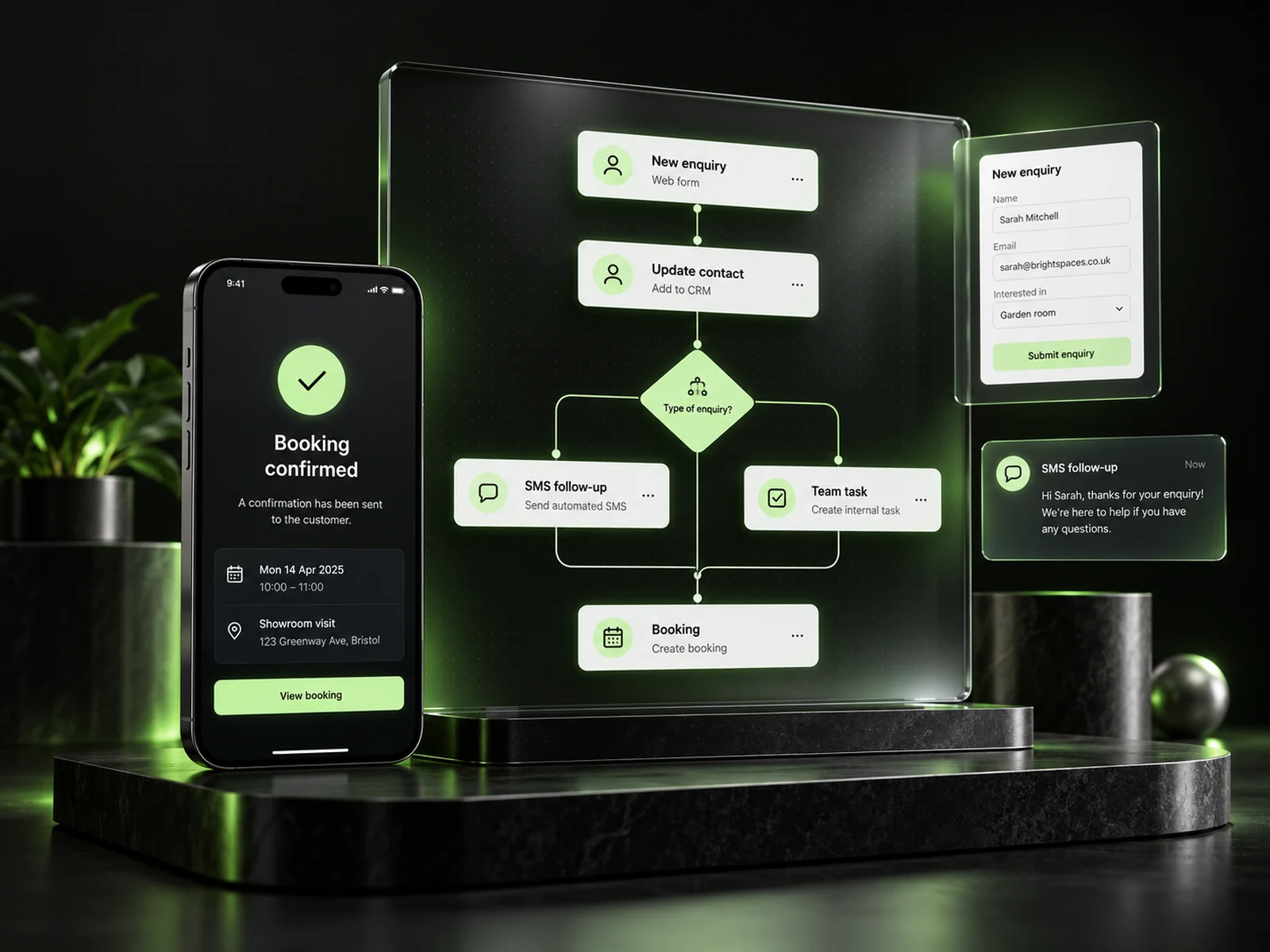
A new enquiry shouldn’t start a scramble. Build a clear process around the customer events that matter, with useful messages and practical actions for your team.
Explore three workflow concepts. Each has a trigger, a practical sequence and a clear next step.
Connect the form, customer record, acknowledgement and team follow-up into one organised start.
Illustrative concepts, not a live workflow editor. Messages, actions and availability depend on your configuration.
Bring the repeat work into a process your team can see and refine.
Start a journey from a connected form, appointment, stage change or relevant customer event.
Events & triggersArrange messages, waits and actions in a visual process that your team can understand.
Visual workflowUse available customer data and conditions to shape the appropriate next action.
Conditions & timingConnect internal reminders, ownership and record updates with customer communication.
Tasks & teamworkUseful automation takes care of repeat steps while giving the team context. Build around the way your business actually serves customers, then refine as you learn.
Explore Brandroof CRMChoose the event that signals a real next step for the customer.
Combine the right message, wait, condition or team action.
Keep customer details and responsibilities visible when the team needs to step in.
Start with one repeat process, test it carefully and build from there.
Choose one repeat process and describe what should happen after the trigger.
Arrange messages, waits, conditions and team actions around that process.
Use test contacts to check the trigger, timing, destinations and exit conditions.
Keep the workflow aligned with your services and how customers respond.
Show us the admin your team repeats. Let’s turn it into a clearer customer journey.
Have a specific question? Talk to our team.
The visual workflow approach lets you organise practical triggers, steps, waits and actions without writing code for each journey.
Available triggers depend on the connected setup and can include form enquiries, appointments, stage changes and relevant customer milestones.
Yes. A workflow can combine customer communication with internal reminders, ownership changes and record updates, depending on your configuration.
Available conditions and customer data can shape different next steps. Plan and test each relevant path before using it with customers.
Yes. Check the trigger, timing, personalisation, actions and exit conditions with test contacts. Review the workflow when your business process changes.
Connect your customers, conversations, marketing and payments in one practical business platform.