Live Chat + AI
Let visitors chat on your website, with your team or an AI assistant.
Let customers choose how they contact you — from website chat to WhatsApp, SMS, email and more.
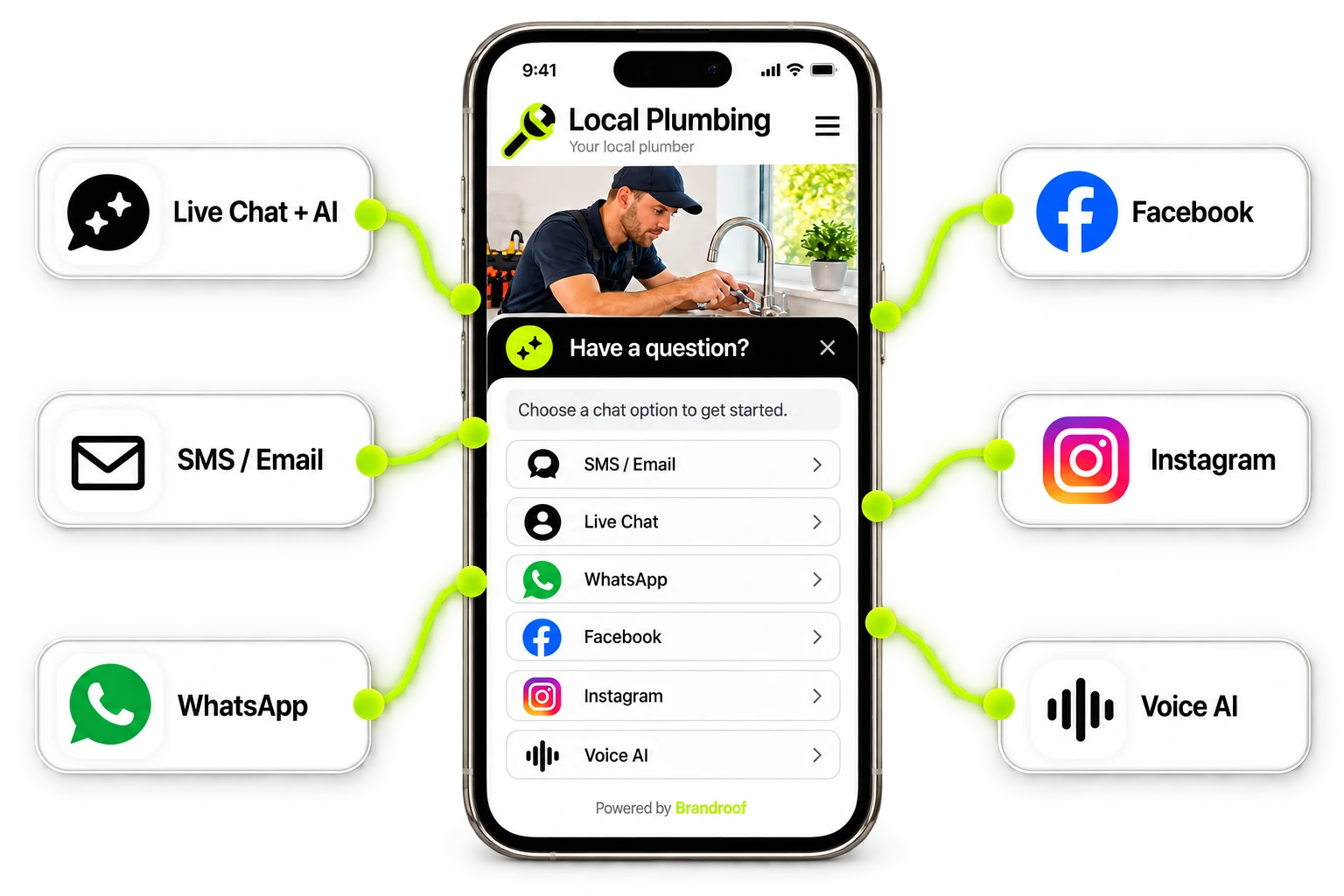
Use All-in-One Chat to bring your available contact options together, or choose a single chat option for your website.
Let visitors chat on your website, with your team or an AI assistant.
Collect their details so you can continue the conversation by text or email.
Give customers a direct way to message your business on WhatsApp.
Let visitors continue the conversation in Facebook Messenger.
Send visitors to your Instagram messages to ask their question.
Let visitors speak with an AI assistant when Voice AI is set up.
Show the channels you’ve connected. Availability depends on your plan, integrations and setup.
A customer sees your work, has a question and finds a simple way to get in touch.
A visitor taps the chat button on your website.
They use one of the chat options you’ve made available.
Answer the question, collect the details and organise the next step.
It gives visitors a choice of ways to contact your business from one chat widget on your website.
Supported options include live chat, SMS/email, WhatsApp, Facebook, Instagram and Voice AI. Choose the options that suit your business; connections and setup may be required.
Yes. Live chat can use an AI assistant when it is enabled and set up for your business.
SMS/email chat can collect a visitor’s details so your team can follow up. You can also offer the other chat options you have connected.
No. Set up the channels you want customers to use. WhatsApp needs your chat number, and Voice AI needs its own setup.
Yes. Visitors can open the chat widget from your mobile website and choose an available chat option.
Make it simple to ask a question and start a conversation with your business.
Connect your customers, conversations, marketing and payments in one practical business platform.